Windows 11 / Local generation / Text to motion
Type a movement, generate it on your PC.
Motion Studio makes NVIDIA's Kimodo easier to install and use on Windows. Write the movement you are after, generate it locally, preview it on a Mixamo character and export a GLB for Blender.
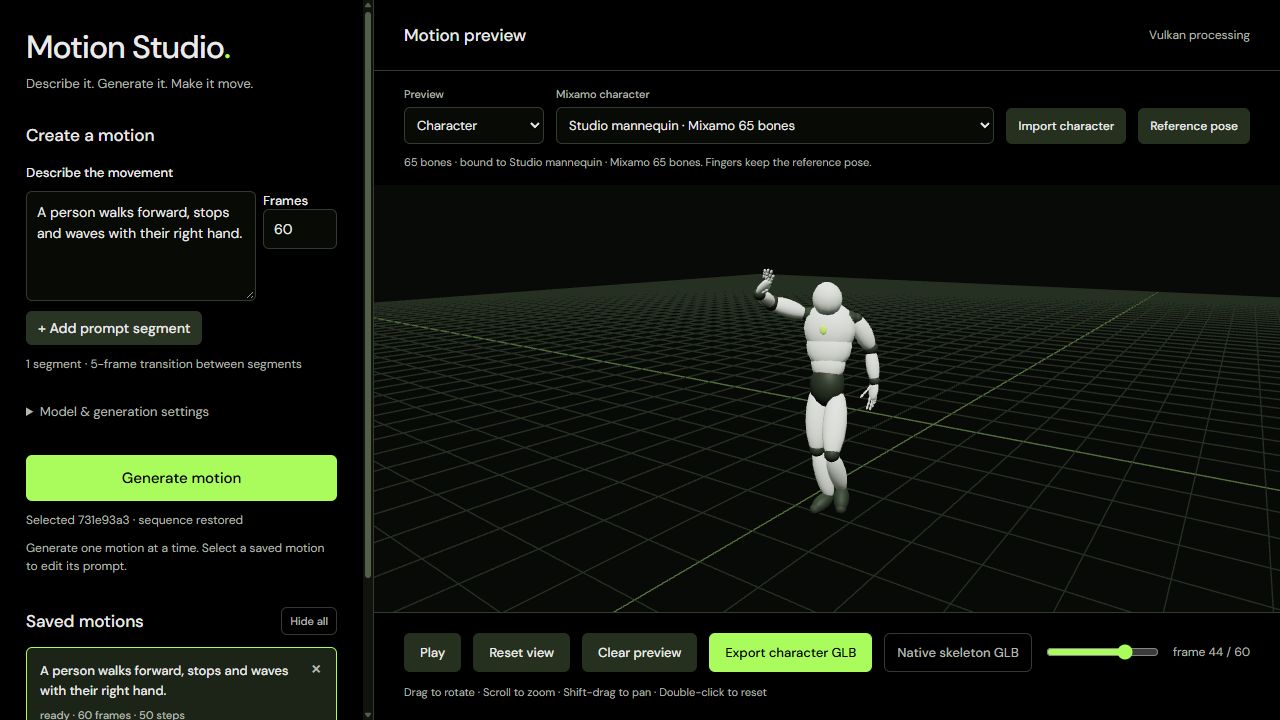
Built to be installed and used.
The installer is 11.9 MB and includes the CPU and Vulkan runtimes, so you do not need Python, Go, C++ build tools or the Vulkan SDK.
- 01Local generationRuns on your CPU or a compatible Vulkan graphics card, and works offline once the models are downloaded.
- 02Sequences and takesAdd prompt segments to build a sequence, adjust frames, steps and seed, and keep different takes to return to.
- 03Character preview and exportImport a Mixamo FBX or GLB to preview the motion, then export the mesh, rig and animation together at 30 fps.
From prompt to GLB.
Model files download separately, and the app shows the size before you start.
- Install and pick a model
Choose SOMA RP + Q8_0 to get started. A fresh download of that pair is 9.28 GB.
- Write a prompt and generate
Generation runs locally. Prompts, characters and motions stay on your computer.
- Preview and export
Bring in your own character, preview the motion, then export a GLB for Blender.
Windows install.
Windows 11 x64 with AVX2 is required, and ARM Windows is not supported in this build.
- Run the installer
Motion-Studio-Setup-1.2.1.exe. The installer is unsigned, so Windows may show an unknown-publisher warning.
- Download a model pair
Allow at least 12 GB of free disk space for a fresh SOMA RP + Q8_0 download.
- Generate your first motion
Write a prompt and press Generate motion.